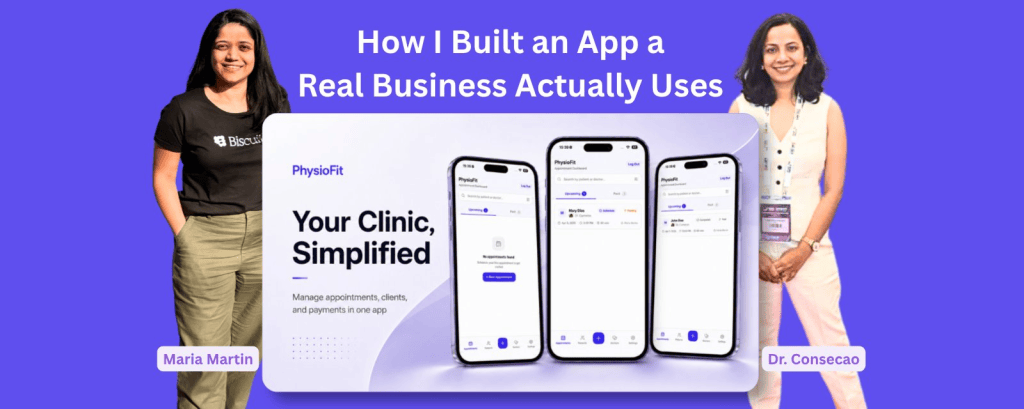
Few months back, Physiofit app was only an idea and now it is used daily with over 40 appointments and 20+ clients added. I built this app entirely in Biscuit for my friend, Dr. Consecao, a Physiotherapist. To build and launch an app as a non-technical person feels like a highlight of my career.
In this article, I share in detail on some of the important aspects of launching products – how I got idea, how I built the app, how I operationalised it, how I monitor it and how is the app’s growth now. If you are in one of these phases, you might find some things useful.
So let’s begin with the first one.
How I got the idea?
During my trip to India in November 2025, I booked a physiotherapy session at my friend’s clinic. After the session, we talked about her business. During that conversation, I learned more about her business operations and the expansion plans.
Here are few things I observed:
- Clients call her on the phone to book the appointments. She makes a note of it in a book. She shares the roster with her team by taking a picture and sending on Whatsapp.
- She has intake forms for new clients. They’re not digital, all on paper.
- Her day is extremely busy leaving her no room to explore ways to make her business operations efficient. She wanted her processes to be efficient but there was simply no time.
- She also wanted to analyse her past data of clients but that meant flipping through pages and manually doing it.
- She did try searching for tools for appointment management but found them ‘too complex’ to begin with.
- She knows her regular clients and their progress really well. However, she could not follow-up with her older clients and retrieving that data was not easy.
How I decided what to build?
I am not going to lie, I was very tempted to build all the features at once. I stopped myself and started thinking of a phase-wise approach. I wanted to build a version that she could start using quickly.
I pitched her an idea for an app that would help her with exactly 2 things:
- Appointment management
- Client data management
I also told her that I will generate reports on demand and in 2nd phase of the app add Analytics page.
How I built the Physiofit app
My initial idea exploration happened in multiple places.
- I used whiteboard to draw the flowcharts.
- I tried Google Stitch for design inspiration.
- I finally used Biscuit to build the whole app. And now everything happens within Biscuit.
App Design and Features
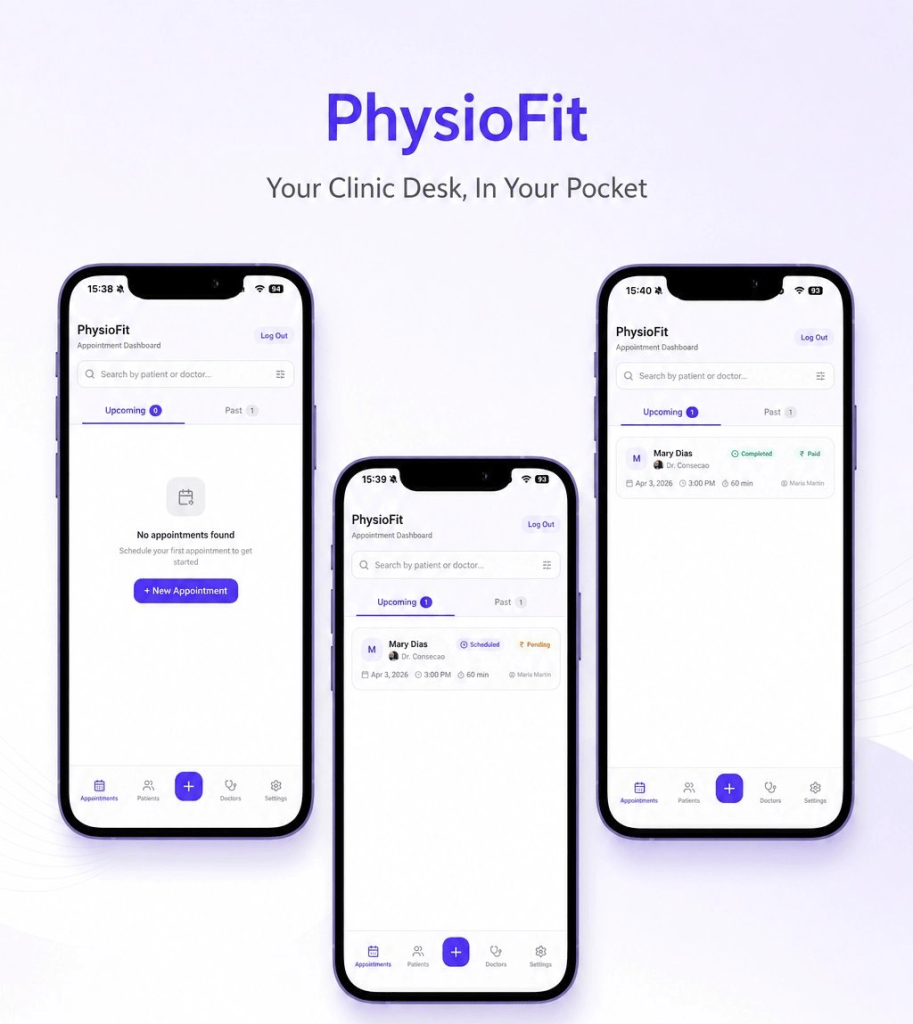
Simple userflows, minimal design and mobile-first
One of the key requirements was that app should be mobile-first because at the clinic, they always use phones. Since they are busy professionals, they have no time for complex user flows. I chose minimal design with plenty breathing space.
User access control
Only approved users should be able to access the app. The app is built in such a way that you can login with Gmail account but you have to be approved before you can enter the dashboard. This was very easy to build in Biscuit.
Minimum features
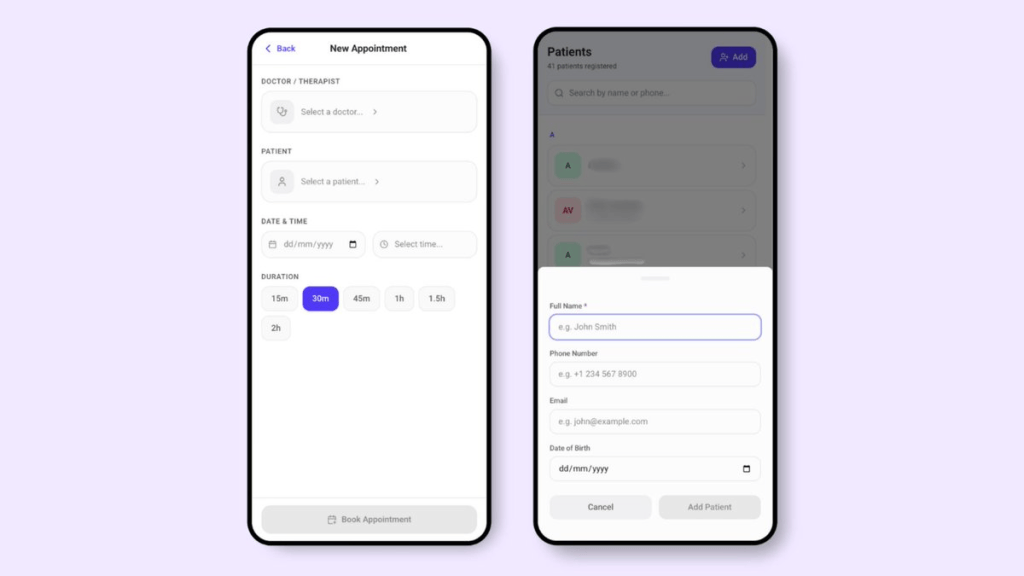
During my initial conversations, I realised that they are extremely busy people. They have no time for figuring out a cluttered app with tons of unnecessary features. Every input field and every navigation item is carefully added serving its purpose. I even removed extra features which were not necessary for the first phase.
Contextualising the app
I was building the app from Amsterdam and it was going to be used in India. The currency symbols, the appointment timings etc were all supposed to be in Indian context. This took some time and testing.
Launching the app
I published the app and it is hosted on Biscuit’s own domain. I have not bought the custom website domain yet. While I have the choice of doing it in Biscuit, I wanted to ensure there is enough adoption. I wanted them to create at least few appointments, experience the user flows and give me feedback.
How I operationalised the app
This step was not as easy as “here is the link, use it.” I made sure my friend and her team understood how to use this app. I recorded a detailed video by sharing screen on my phone. I gave instructions in Marathi, my native language.
Here is what the video included:
- How to add the app to home screen (since this is a web-app, there were couple of extra steps)
- How to login for the first time
- How to create first client data
- How to create first appointment
- How to edit client and appointments
These things seem trivial at first but they were absolutely crucial for someone to get started.
How I monitor the app
Analytics
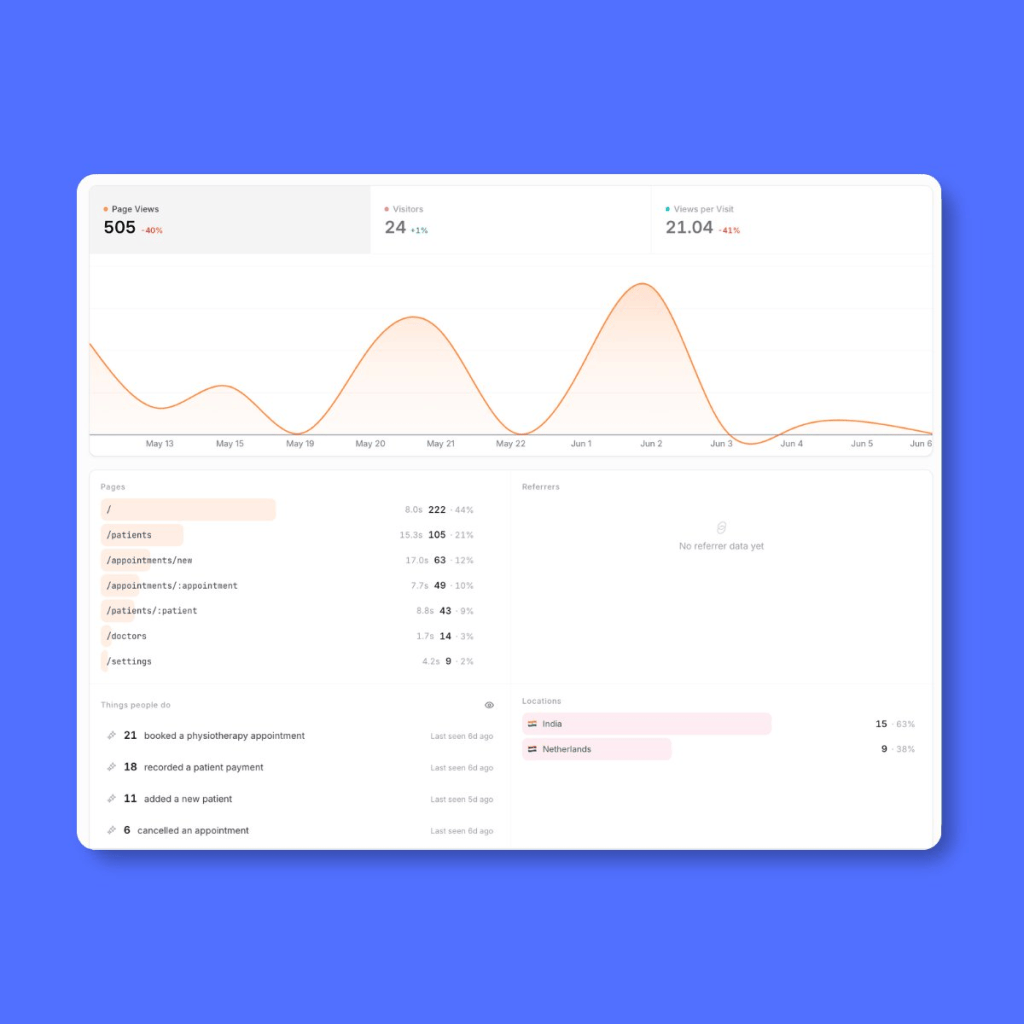
Custom Events: The Product Manager in me went straight to the Custom Events in the Analytics page. I setup some custom events for the core actions in the app. While Biscuit gives me basic analytics for my app, custom events were more important to me.
Checking App in the preview
I make sure that the app is always functional and I do this in Preview mode in Biscuit. I just come and click around to make sure everything is working fine.
Regular check-in
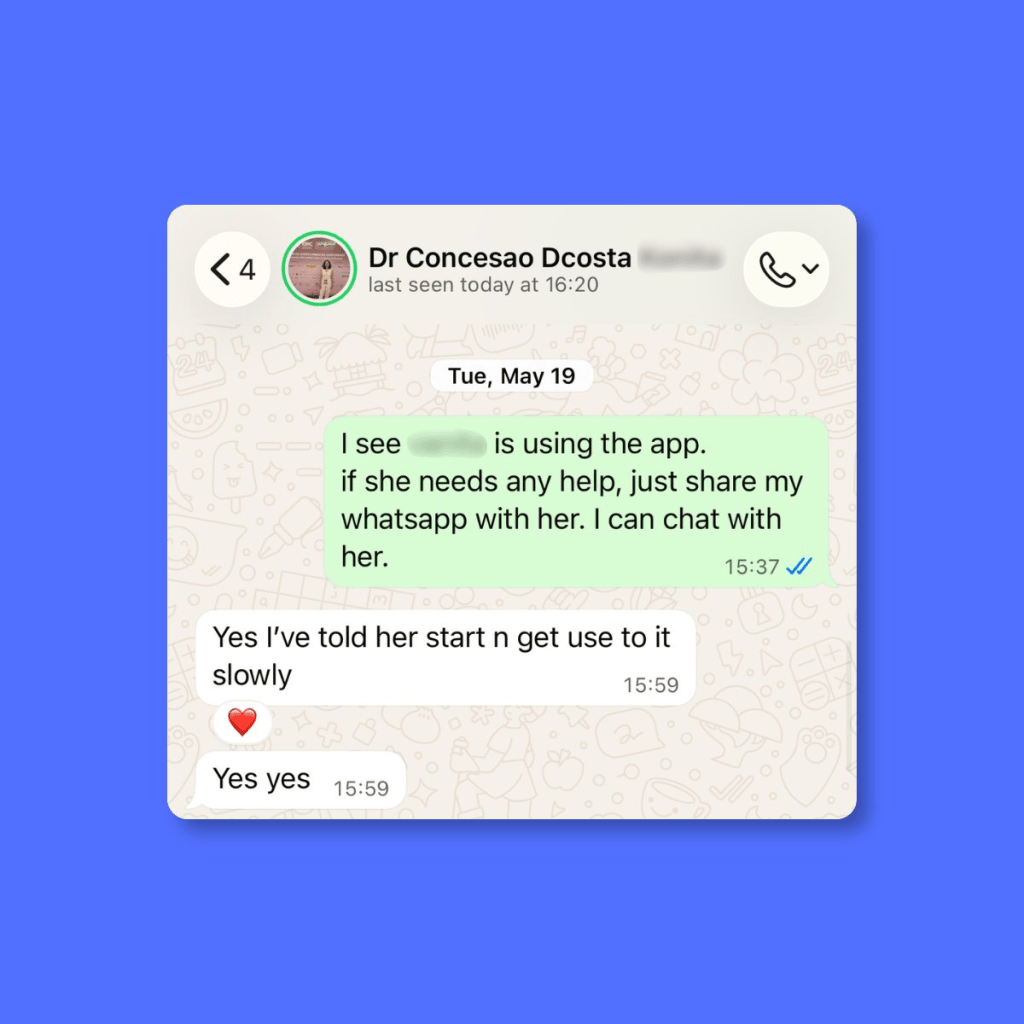
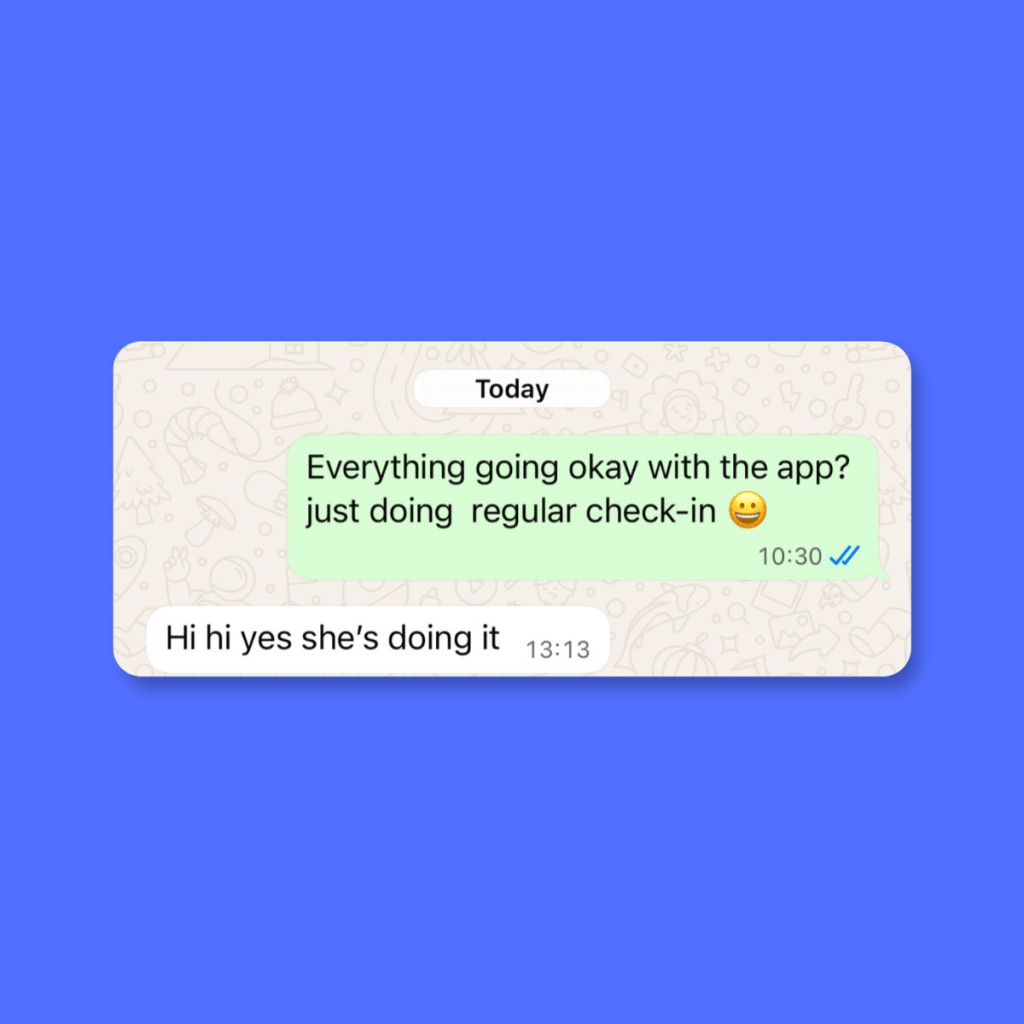
I also do a regular check-in with my friend on Whatsapp from time to time. I also call it regular check-in. 😀
Here is how the growth looks like
They have been actively using the app for 4 weeks now.
Week 1 → They added 2 clients and 2 appointments.
Week 2 → They added 20 clients and 4 appointments.
Week 3 → They added 8 new clients and 13 appointments
Week 4 → They added 11 new clients and 21 appointments.
Last week, they started adding client intake forms via document upload feature. 🎉
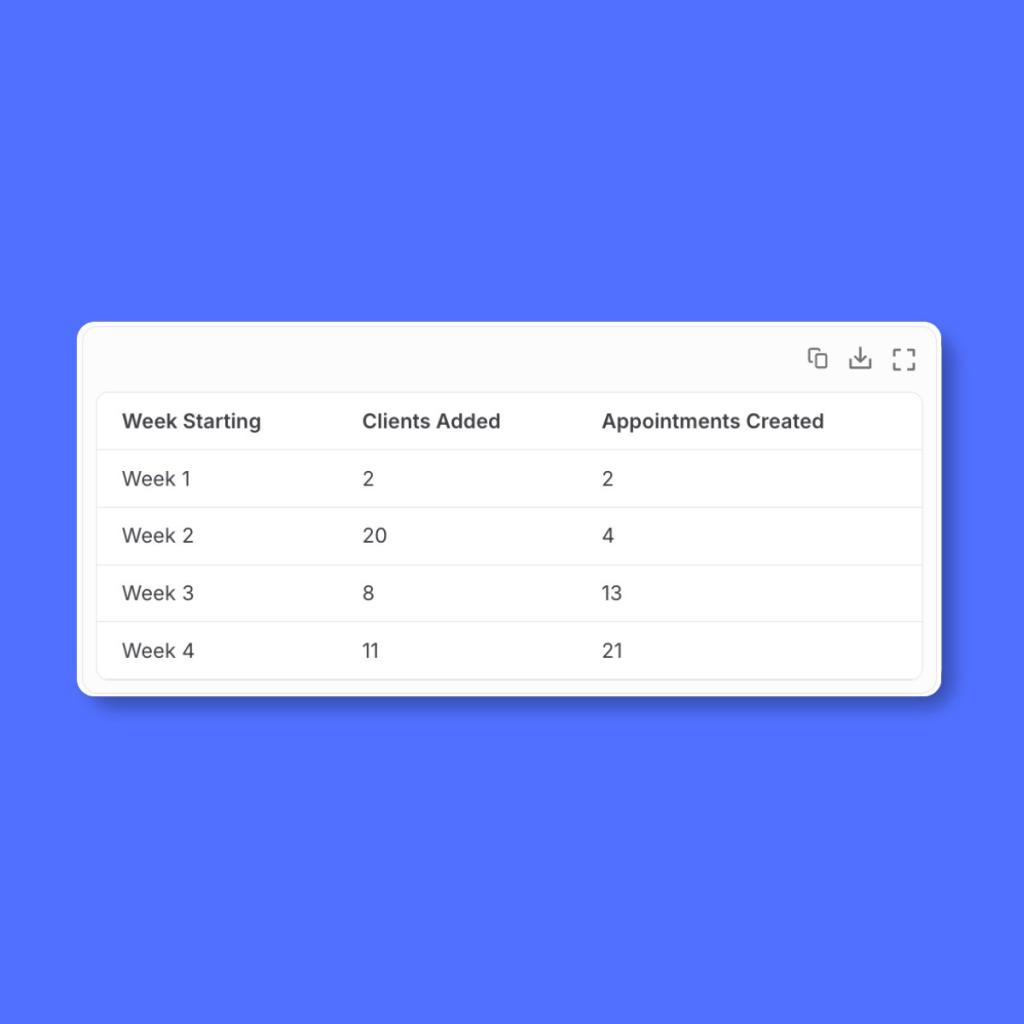
I got the above analysis by simply chatting with Biscuit.
So far they have not reported any issue or bug in the app. ♥️
Challenges
- One week after delivering the app and sending the onboarding guide, there was no activity. No one signed up. I wondered if I wasted my time. I asked them and found out that my friend’s business phone was damaged and she was getting it fixed. This was totally unexpected challenge but a real blocker.
- In the second week, there was still no activity. I asked again and found that they had started watching the onboarding guide, went till login flow and something else came up. They abandoned.
It takes time to operationalise your app. Regular follow-up and timely support always helped.
App safety and security
I have never built and launched apps all by myself. While I worked as a Product Manager, I always had a team of Software Engineers. While I could build with Claude Code, I was not confident enough to handle the scale and the security. In simple terms, I would not know how to fix things if something went wrong.
This is where, I think, platforms like Biscuit win. They have to ensure reliable infrastructure not just for my app but for all the apps on the platform. They take care of:
- App security and safety
- User authentication
- Database that scales well
It is fully hosted solution which means I cannot take the code out of there and add to my Github. You could argue that this is a downside. However, that’s not the case for me because I love the fact that they take care of everything and I don’t have to worry about those things.
How much does it cost and do I make money?
Right now, I have invested my own money, which is not a lot. I only have to pay Biscuit subscription. While I do work here, I separate my personal ventures from my official work.
I can track my usage in the Biscuit project. I am still figuring out the pricing plan for the app. Although, I am thinking of another plan to create something bigger and Physiofit is my first step in that direction.
What’s next for Physiofit app?
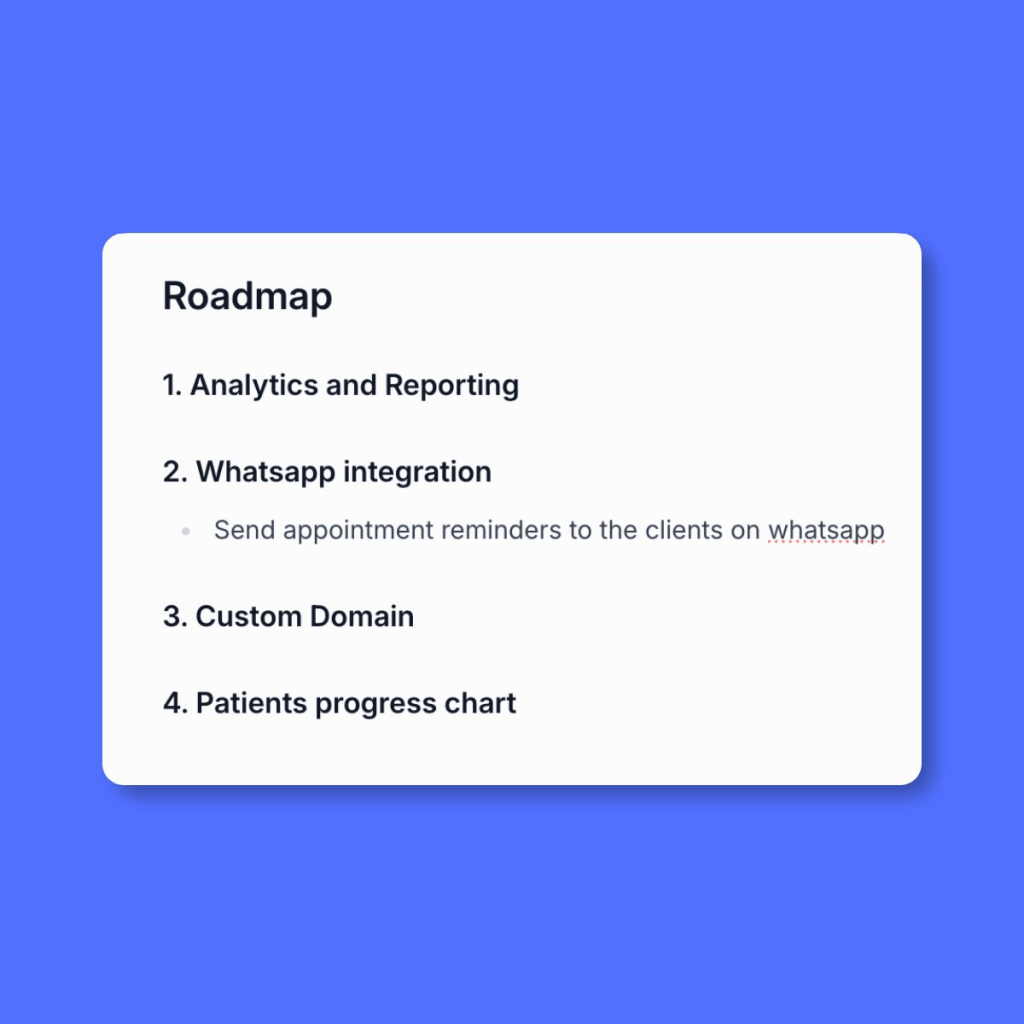
Well, my roadmap is already developing. 😍
A huge thanks to Dr. Consecao Dcosta-Colaco. Check her work on

If you are inspired to build something of your own, try in Biscuit →


Leave a Reply